


Over a billion people use Instagram, a platform for sharing photos, which is owned by Facebook. You can follow people and grant permission for them to follow you, much like on Twitter. Only those who follow you will be able to see the photographs and videos you share if you have set your profile to private.
On Instagram, you receive a notification whenever someone wishes to follow you. You can choose to accept or reject the request. Instagram does not alert users when they are unfollowed in order to respect user privacy. You can manually check your Instagram account or use a third-party tool to see who has unfollowed you.
A person unfollowing you on Instagram might still upset you, no matter how ecstatic you may become when you hit a particular number of followers on your account. People you know, random Instagram app users, and even Instagram bots could become your former followers if you lose them.
How to See Who Unfollowed You on Instagram?
- From your Instagram profile
- Go to your Instagram profile
- Click “Followers” to open your Followers list
- Look through it or search for a specific friend/follower
2. From their Instagram profile
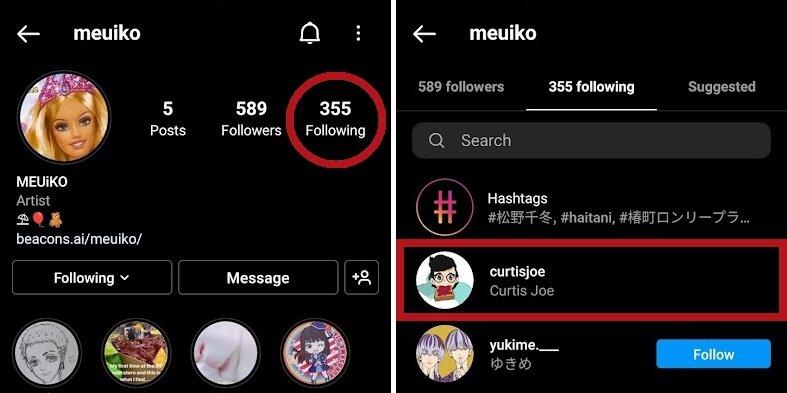
- Go to the profile of the person you want to check
- Click “Following” and search for your name
How do Manually Find Out Who Unfollowed You on Instagram
For Instagram accounts with a small following, this technique is a smart choice. It will take a while for you to browse through every single follower on your “Followers” list if you have more than a thousand. This may not be the ideal option for you if there is a significant discrepancy between the number of accounts you follow and the accounts that follow you.
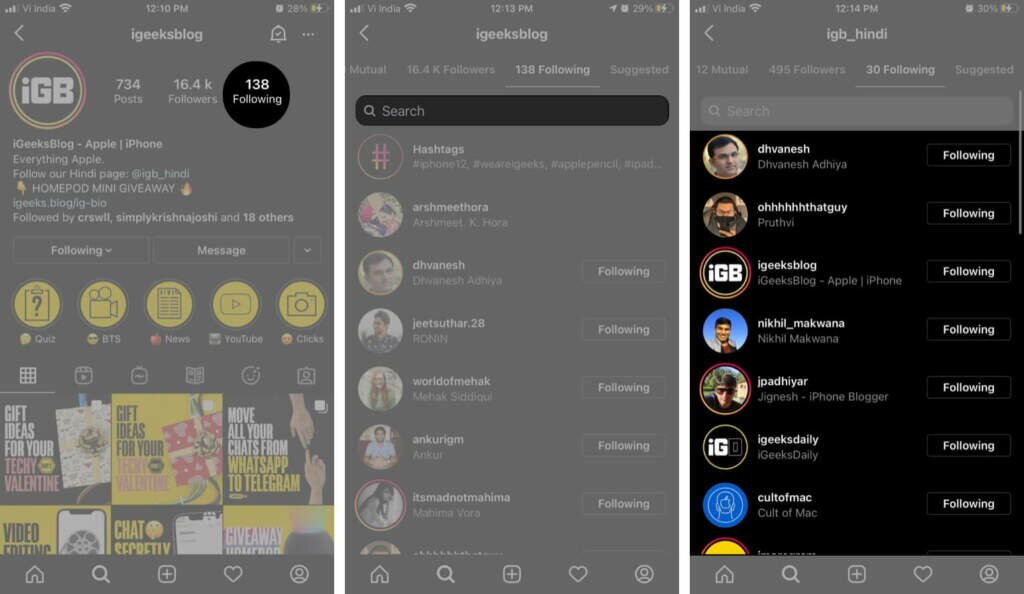
In Essence, you may determine who unfollowed you by comparing your lists of Followers and Following. Go to your Following list, pick a single account, and then use the Followers list to look for them. This is what you should do to see if someone specifically unfollowed your Instagram account.
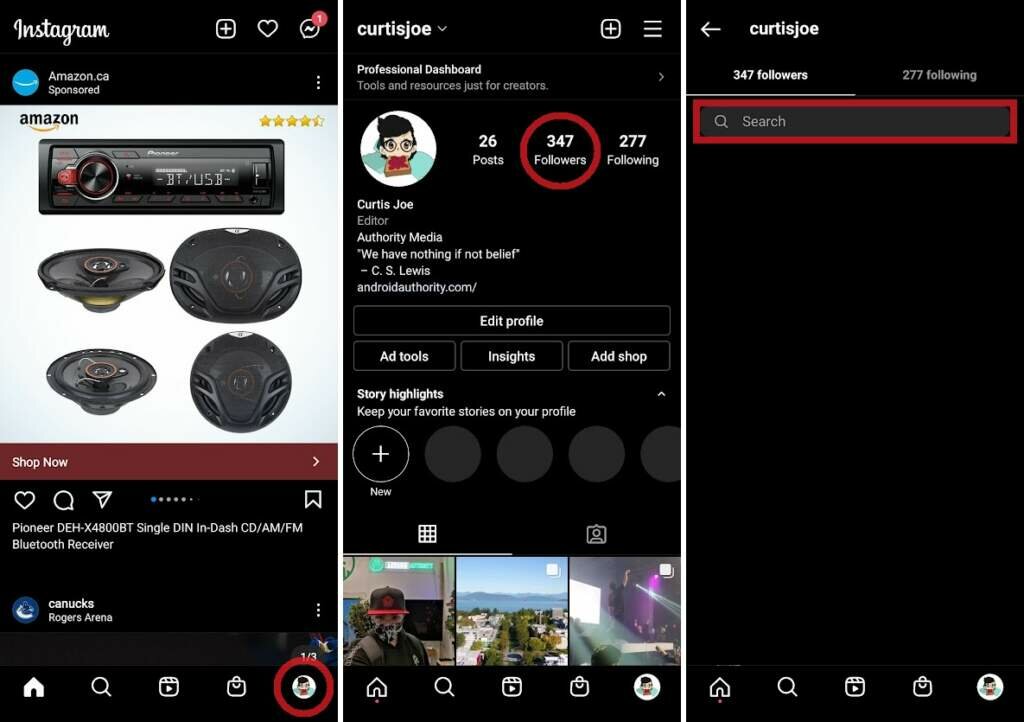
- Open the Instagram app on your mobile device.
- Tap on your profile picture in the bottom-right corner of your screen.
- Go to Followers in the top-right corner of your profile.
- Tap on the Search bar at the top of the page.
- Enter the username of the person you suspect unfollowed you.
- If they aren’t on the Followers list, it either means they unfollowed you, or they never followed you back in the first place.
Keep Track of Your “Unfollowers”
While you can always see who has followed you on Instagram, it can be a little difficult to see who has unfollowed you. You can either manually check your “Followers” list or you can use a follower tracking program from a third party.
Whichever choice you select, there will be a means for you to learn who unfollowed you. Have you ever attempted to track down someone who unfollowed you on Instagram? How did you make the connection? Please share with us in the comments area below.